Your cursor and your selection—just speak. Voice input, voice-to-text & instructions for your selection

The typical pattern Most dictation apps stop at the caret.

Voxera provides voice-powered edits on a selection, live streaming for long takes, and an optional multilingual hub—so you can speak in one language and paste polished copy in another.

Nine locked transcription languages Whisper-class accuracy.

  • Included on every plan: AI proofreading, up to 800 dictionary entries, custom instructions, voice instructions on selected text, and screen context.
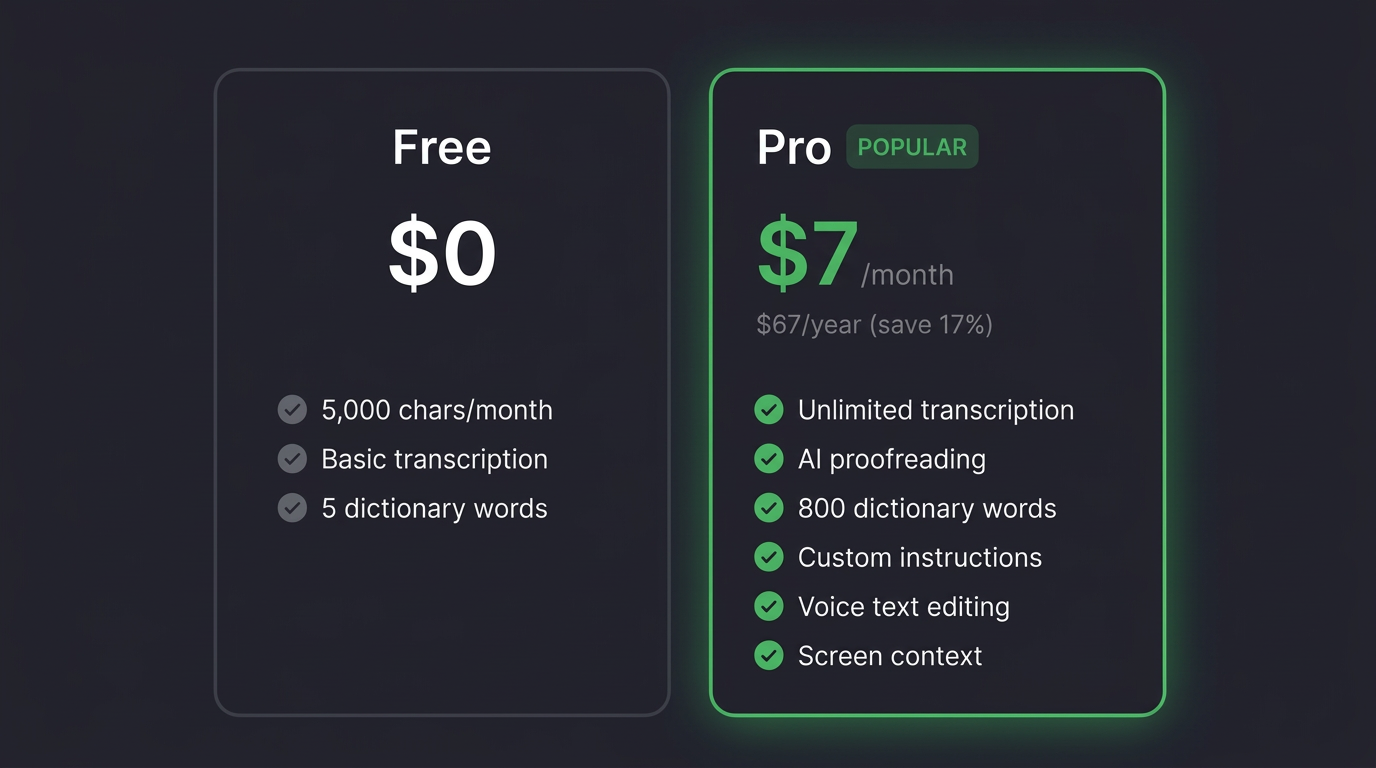
  • Usage: Free includes up to 1,500 words per month (see pricing for counting rules). Pro is unlimited$5/month or $48/year (see checkout).
  • Platforms: Windows (Microsoft Store) today; macOS coming soon.
Get for Windows (Microsoft Store)

See plans & pricing

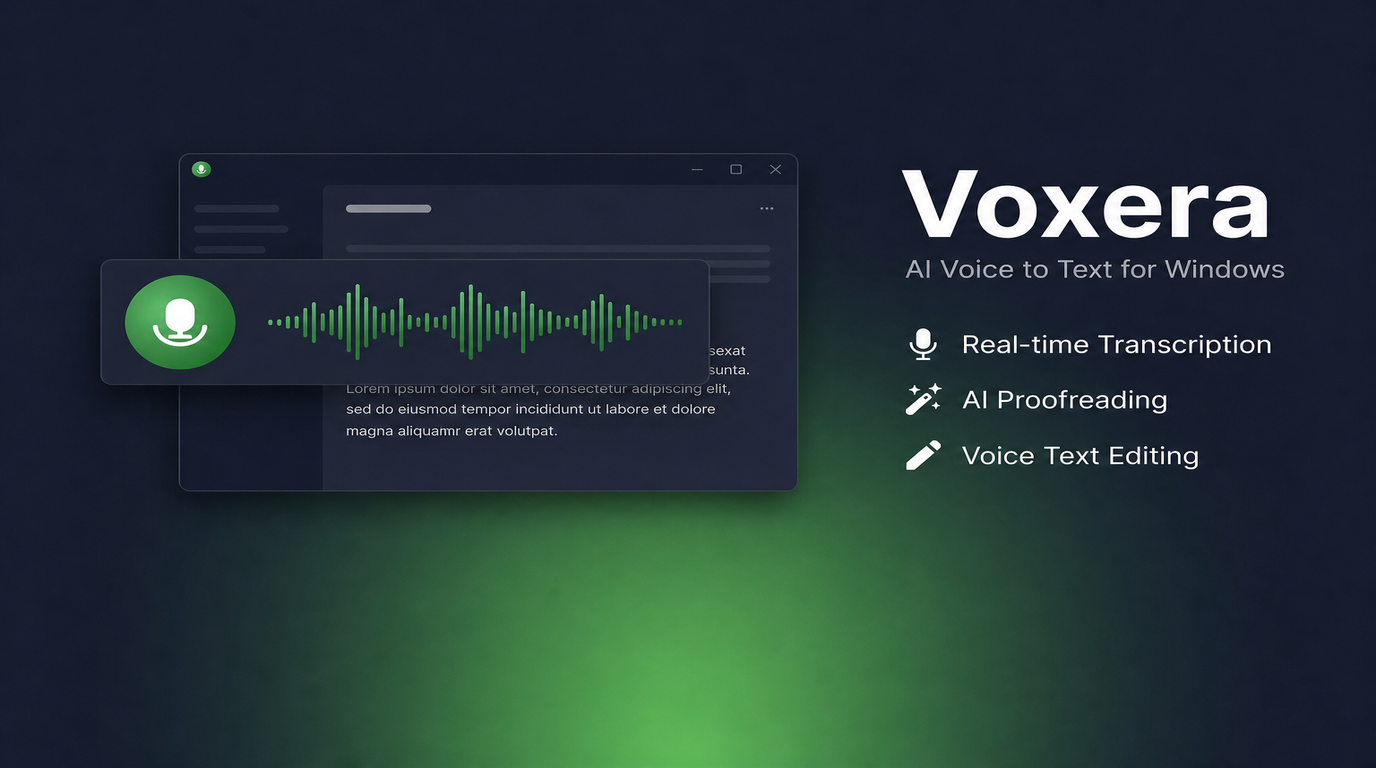
Voice input and voice-to-text on Windows and Mac: Voxera floating bar for dictation and speech-to-text

Deliberately simple

We deliberately narrow two things: how you sign in and how the UI shows up. Sign-in is Google, Microsoft, or Apple only—no Voxera-specific username or password. What you see day to day is a slim floating bar and hotkeys: the bar appears only while you’re recording or processing, and hides when idle.

Floating bar & hotkeys

A slim bar appears only while you’re recording, transcribing, or running polish—and hides when idle. Toggle with a configurable hotkey; long silence can end a take. Mic, dictionary, and the rest live in a settings window—then you’re back to the app you were using.

Transcription at the caret Voice instructions on a selection

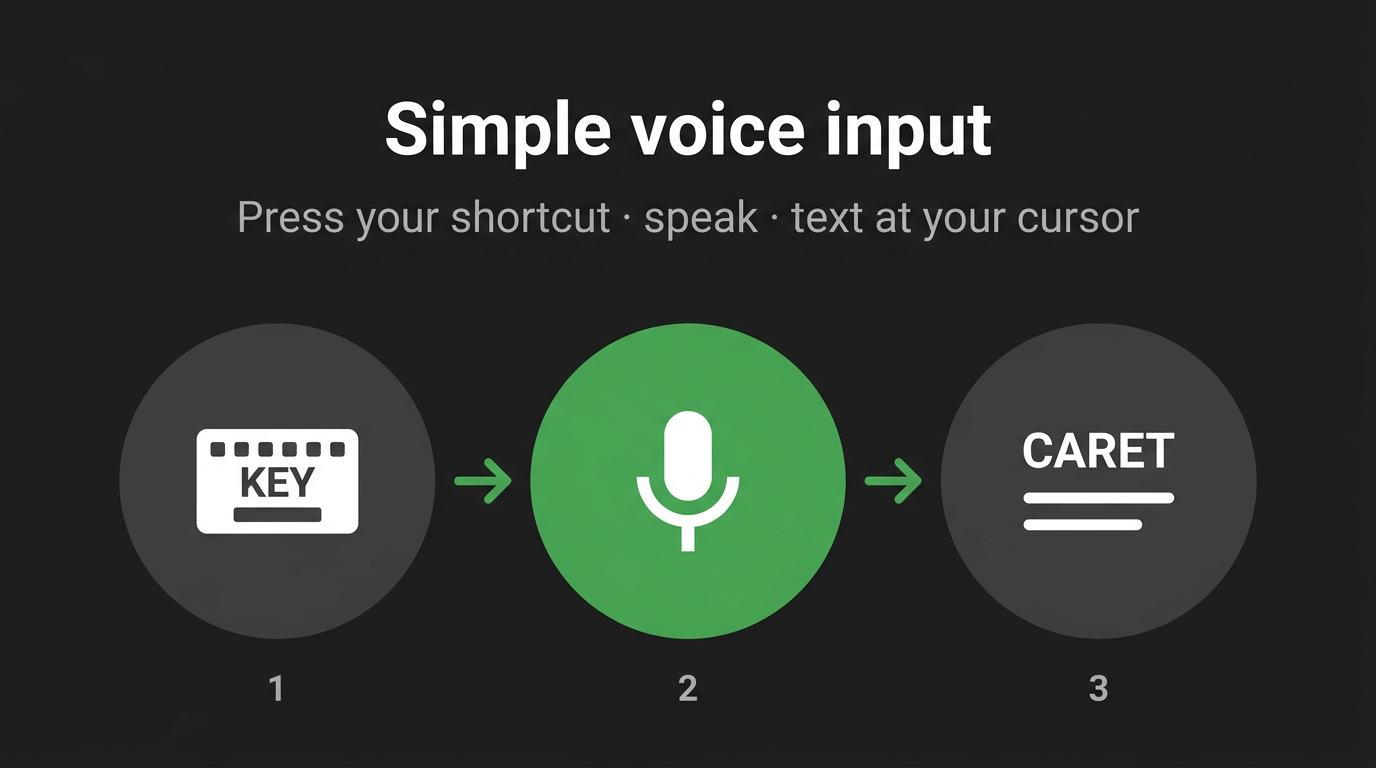
Nothing selected? Use the hotkey to toggle recording on and off while you speak—the transcript lands at the caret in the focused field, already proofread. That’s the heart of the free plan, too. With text selected, Voxera treats what you say as an instruction for that range—“shorter,” “more formal,” and so on—and applies it in place. The same hotkey covers both “add text” and “fix what’s highlighted.”

Get Voxera
Voxera: slim floating bar and hotkey for voice-to-text at the caret

Fits the work you’re already in

One hotkey

Email, chat, IDE—get focus right and what’s in your head lands as text

“Select, then speak” for real

Most voice input stops at appending at the caret; firing instructions at a highlight still feels rare—and it scratches the itch

Shape output to your world

Dictionary and custom instructions keep proper nouns, abbreviations, and tone aligned

Live streaming dictation & multilingual hub

Live injection streams transcribed chunks to the caret while you talk—so long meetings, interviews, and rough drafts aren’t an empty field until you stop. It shines when you’re capturing walk-throughs, parking notes in the real doc, or dictating specs and tickets straight into Slack, Notion, or your editor instead of a scratch pad—you stay in the app you already have open, and text lands as you go.

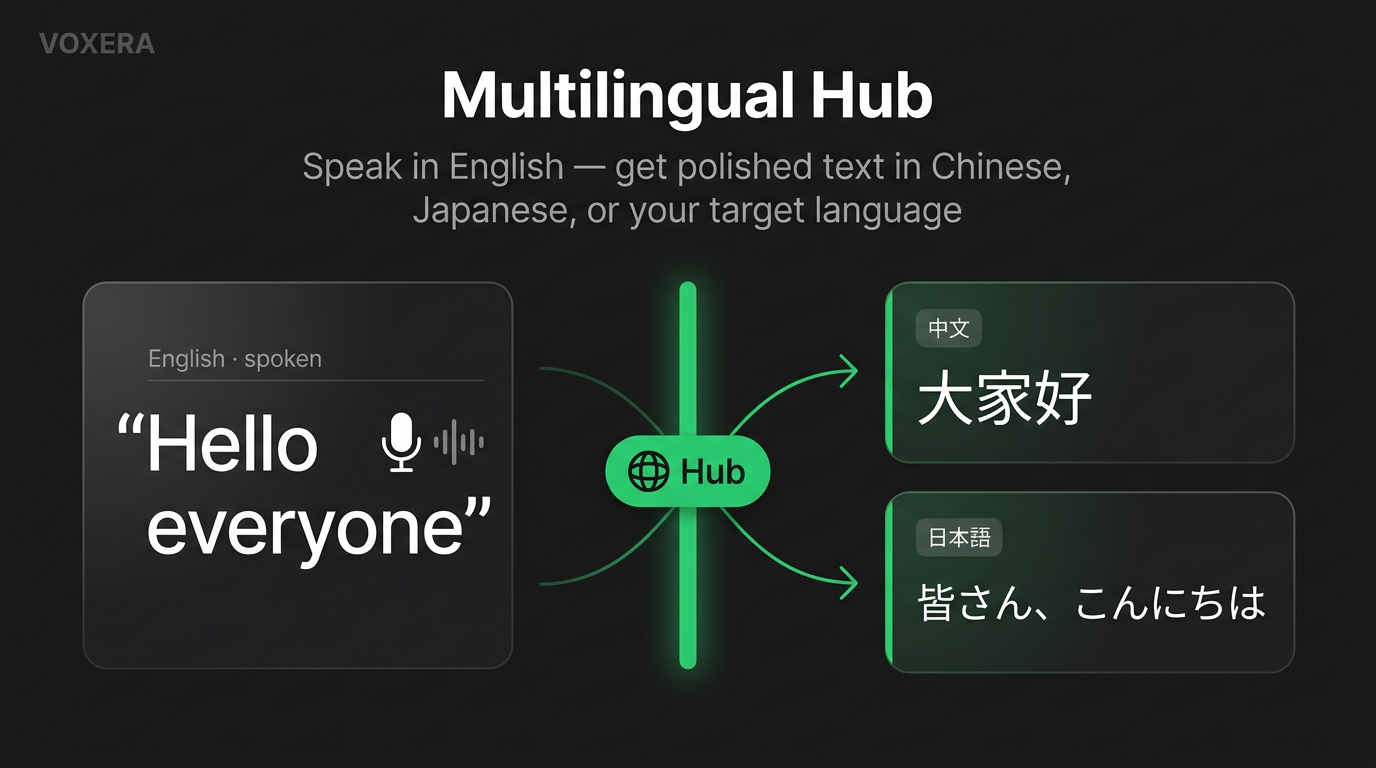
Multilingual hub shapes speech into reader-ready text in another language and tone—email, Slack, bullets, and more—using presets instead of hand rewrites or a translator tab. That’s built for overseas threads and mixed-locale days: when the reader’s language or formality doesn’t match how you think out loud, or you’re switching English and Japanese in one afternoon as a PM, in support, in sales, or on a global team—one hotkey path from voice to something you’d actually send.

Multilingual Hub: say Hello everyone in English and paste polished output such as 大家好 or 皆さん、こんにちは

Nine languages—including English

Pick one transcription language in settings (Whisper-tuned). These are the locales we validate end-to-end—not vanity flags on a spreadsheet.

  • EnglishEN
  • JapaneseJA
  • ChineseZH
  • KoreanKO
  • GermanDE
  • FrenchFR
  • SpanishES
  • PortuguesePT
  • RussianRU

We run the same set through real input flows in testing—we don’t pile on untested locale flags just to inflate a list.

Don’t change windows—just talk

The flow is the same in every app: dictate at the caret or edit a selection. We focus on voice and skip extras that don’t earn their place.

Works in the apps you already use

Slack, email, Notion, terminals, IDEs—anywhere you type. Pipe text to the caret or refine a selection with your voice, all in the same field.

Short lines or long rambles

The floating bar stays small; even while recording it rarely gets in the way. One sentence or a longer burst—processing is tuned so waits don’t grate.

Uses what’s on screen

Words visible in the front window can nudge transcription and proofreading—handy for mixed code and copy.

Prompts and commands—by voice, as-is

Say a phrase you’ve configured to fire registered shortcut actions. Add stack-specific terms to the dictionary so log lines and API names are less likely to get mangled in transcription.

  • Voice-triggered shortcuts

    “When I say this phrase, send this key.” Macros, submits, and editor commands—without piling on new keybindings.

Easy to feel you’re typing less

Less time on repetitive input—and quicker replies in chat and email.

Better use of your time

Offload small fixes and first drafts to voice and spend more of your day on decisions and design

Automatic proofreading

Catch typos and repetitive phrasing before you send—on every plan

Terminology stays on-brand

Dictionary and custom instructions keep in-house language and tone consistent

Select text, then say how to fix it

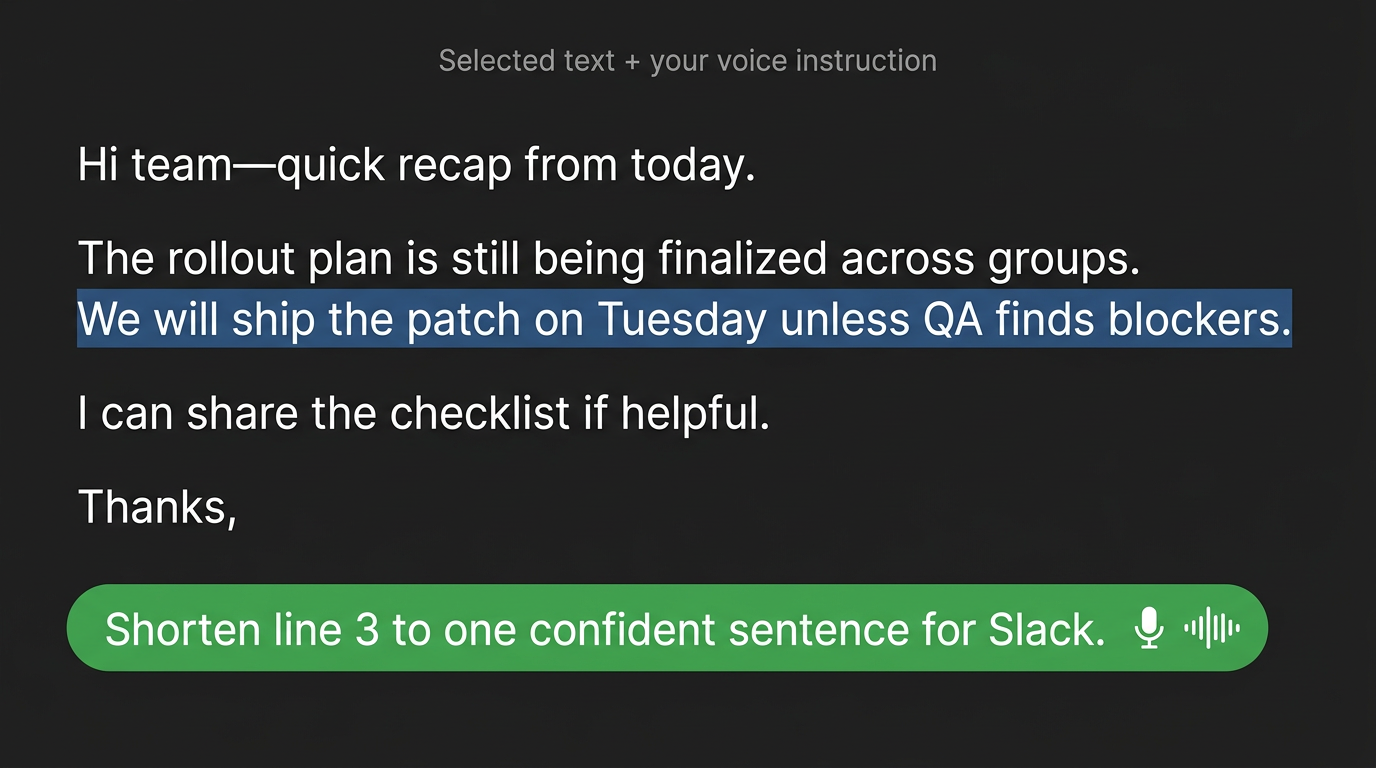
Select a paragraph and ramble loosely to shape a cleaner one—or pick a messy line and ask by voice (“more businesslike,” “a bit shorter for Slack”). The text is rewritten in place.

Voxera: select text, speak an instruction, and replace it in place

Speak the outline in—before you polish sentences

Specs and plans usually start as sections and bullets in your head, not finished prose. Dictate that skeleton straight into the document you already have open at the caret—skip the side-notepad → copy/paste hop and start filling the first draft where it belongs.

Edit and tighten later; the win is getting past a blank page faster. With Google sign-in, cloud-synced history also helps when you want to recover “how did I phrase that again?”

Target · current document
Spoken structure

Three things for the pricing page—Free vs Pro, speed and accuracy, whether we need a comparison table…

A first pass you can refine and extend next

What Voxera does—in one place

  • 01

    State-of-the-art speech recognition

    Access a Whisper large-class model through Voxera. Nine languages (EN, JA, ZH, KO, DE, FR, ES, PT, RU) are covered by strict tests—from transcription through selection-based editing.

  • 02

    Voice instructions on a selection

    In a focused app, select text, say how it should change, and replace it in place—the same interaction model as dictating fresh text at the caret.

  • 03

    Live injection

    Streams transcribed chunks to the caret on a steady cadence while you record—so long takes aren’t an empty field until you stop. Built for meeting notes, long drafts, and dictating straight into the doc you already have open.

  • 04

    Multilingual hub

    Shape speech into reader-ready text in another language and tone—email, Slack, bullets, and more—using presets instead of hand rewrites or a translator tab. Handy for overseas threads and mixed-locale days.

  • 05

    Custom dictionary

    Company and product names, abbreviations, and code terms—registered so recognition stays stable.

  • 06

    Custom instructions

    Set tone, no-go rules, and output patterns up front—handy when email and chat need different voices, or when you want rules applied to just the selected paragraph.

  • 07

    Windows & macOS

    Hotkeys and text access that feel native on each OS—for both caret transcription and selection-based commands.

  • 08

    Google account & cloud sync

    Sign in with Google and your settings, dictionary, and transcript history sync to the cloud on your account.

Where it should gradually pay off

  • Heavy chat days—quick rephrases and tone tweaks without switching windows.
  • Email and docs—polite phrasing or bullet structure faster than typing it all out.
  • Editors and terminals—lines mixing English, symbols, and proper nouns are often faster to say than to type.
  • Dumping spec notes or meeting roughs by talking at the screen before you clean them up in the doc.
  • Voice-replace a selected paragraph—“shorter,” “more businesslike”—and skip extra copy/paste hops.
  • Next: keep improving dictionary, on-screen context, and recognition so more teams get “what I said is what landed” in daily work.

Try free; move to Pro when it’s part of your routine

Free includes the same features as Pro—custom instructions, voice instructions on selected text, screen context, and a dictionary of up to 800 entries. The limit on Free is usage: 1,500 words per month. Pro is unlimited usage at $5/month or $48/year.

Voxera pricing: Free and Pro tiers in USD

Upgrade

On the next screen, choose Google, Microsoft, or Apple to sign in—then complete payment on the checkout screen.

Amounts in the graphic may change—see checkout for current pricing.

Voice before typing

Windows is available from the Microsoft Store. macOS is coming soon. Updates are summarized on GitHub Releases.

Get for Windows (Microsoft Store)